WhatsApp offers a feature called WhatsApp Status which lets you share short video clips, photos, GIFs, and text with your contacts. These statuses disappear automatically after 24 hours. By default, all your contacts can see your status — but you can control exactly who sees it using the WhatsApp status privacy setting.
There are three ways to apply the WhatsApp status privacy setting:
- Share your status with all your contacts.
- Share your status with all contacts except a few specific ones.
- Share your status with only selected contacts.
How to Change the WhatsApp Status Privacy Setting
Step 1: Open WhatsApp and tap the Status tab.
Step 2: Access the privacy options:
- Android: Tap the 3 dots in the top right corner and select Status Privacy from the dropdown.
- iPhone: Tap Updates from the bottom left corner and followed by clicking the 3 dots in the left upper corner. Then tap on Status privacy.
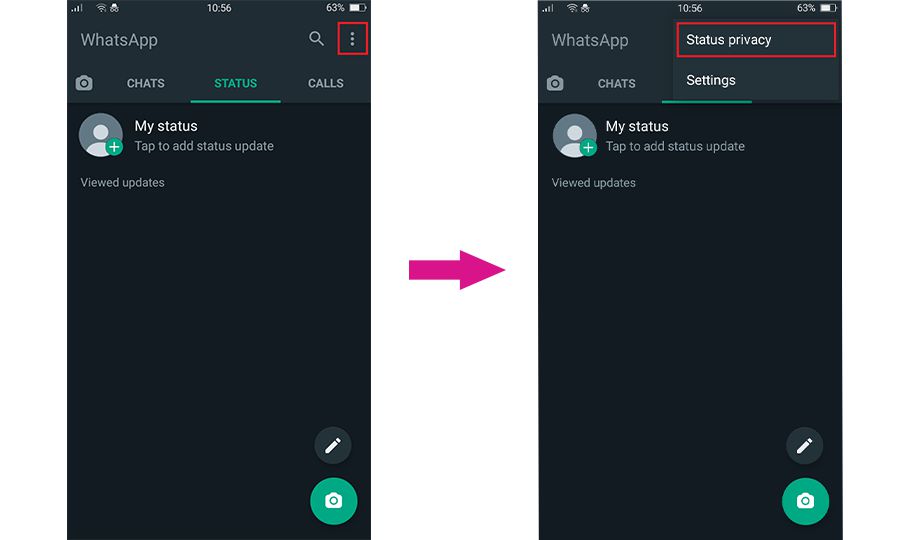
Step 3: Choose one of the three privacy options:
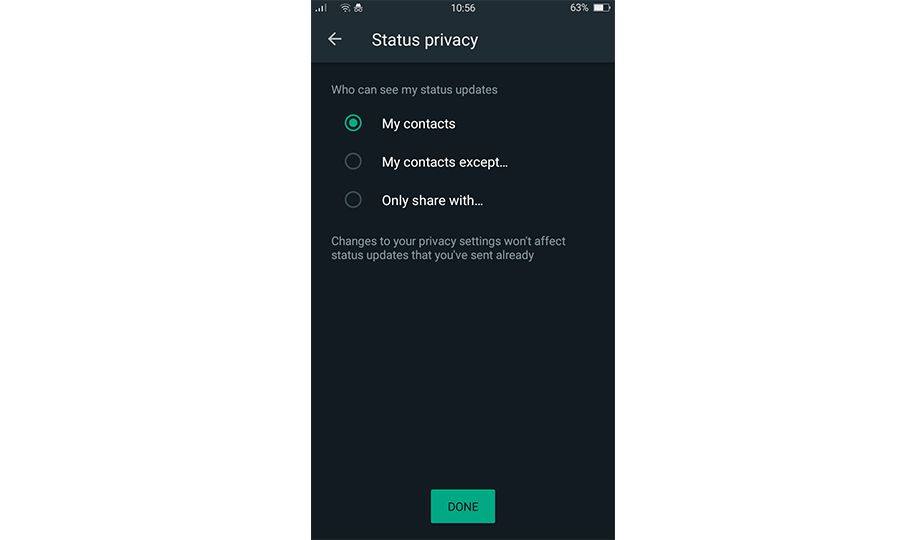
Option 1 — My Contacts
All contacts on your WhatsApp list will be able to see your status. This is the default setting.
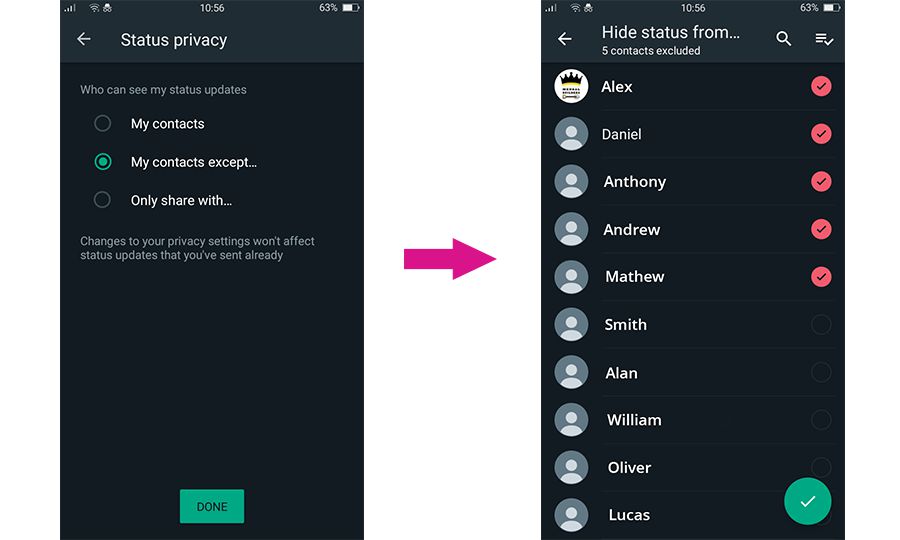
Option 2 — My Contacts Except…
Your status will be visible to all contacts except the ones you select. Tap this option and choose the contacts you want to exclude. Selected contacts will have a red checkbox next to their name — they will not be able to see your status. Everyone else on your list will still see it.
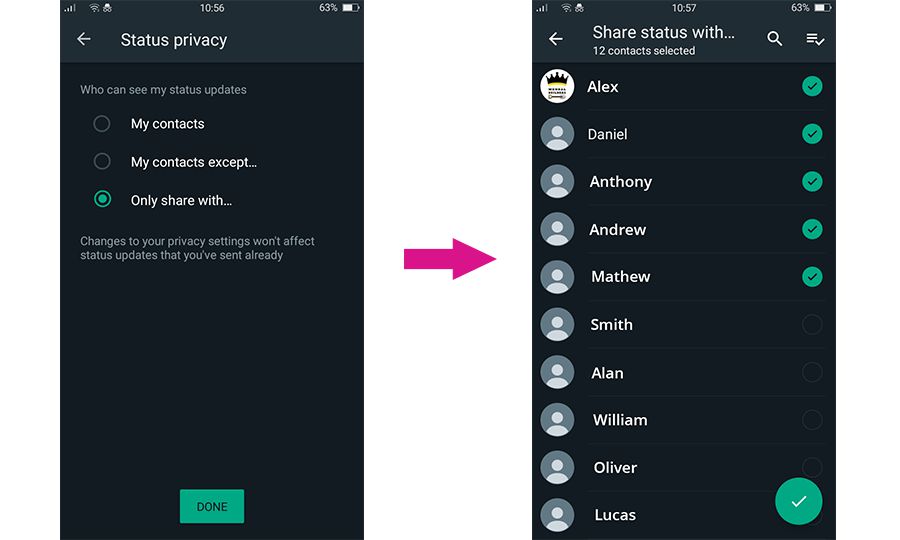
Option 3 — Only Share With…
Your status will only be visible to the contacts you specifically select. Tap this option and choose who you want to share with. Selected contacts will have a green checkbox next to their name.
Anyone not selected will not be able to see your status at all.
This option is the opposite of “My contacts except” — instead of excluding people, you are building a private list of who can see your status.
Frequently Asked Questions
Will someone know if I hide my WhatsApp status from them?
No. WhatsApp does not notify contacts when you exclude them from your status visibility. If someone cannot see your status, they will simply not see it appear in their Status tab — there is no notification or indication that they have been excluded.
Does hiding my status affect my Last Seen or Online visibility?
No. WhatsApp status privacy is a separate setting from Last Seen and Online visibility. Hiding your status from someone does not affect whether they can see when you were last online. These are controlled independently under Settings → Privacy.
Can I see who has viewed my WhatsApp status?
Yes. Open your status, then swipe up or tap the eye icon at the bottom. This shows a list of everyone who has viewed it. Note that this list is only available for 24 hours — once your status expires, the viewer list disappears.
Can I change the status privacy setting after posting?
You can change the setting at any time, but it will only apply to statuses posted after the change. Any status already posted will remain visible to whoever could see it at the time it was posted.
What is the difference between “My contacts except” and “Only share with”?
My contacts except starts with everyone and lets you remove specific people. Only share with starts with nobody and lets you add specific people. Use “My contacts except” when you want to hide from a few people, and “Only share with” when you only want a small group to see your status.
Thanks for sharing.